

Every class its own list
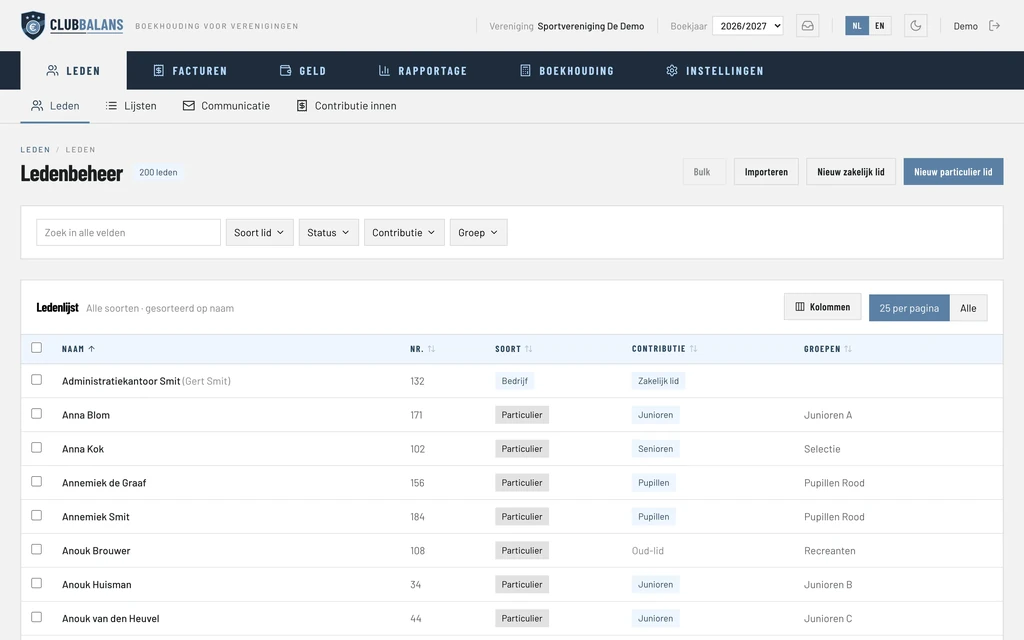
Divide your members into groups, for example per class or time slot. For every group you print the member list for the teacher, with address, phone number and email address, each group on a page of its own. A message to one group, for example when a class is cancelled, you send under Communication in one go. Read more about member administration.
Membership fees per half year or quarter
You create the kinds of membership that suit your club, each with its own contribution, and you collect it per year, half year, quarter or month. Someone who starts halfway through the year pays pro rata if you choose so. With one click you invoice everyone by email, and whoever does not pay gets a reminder. Read more about membership fees and invoices and in the guide how to collect the membership fees.
Birthdays and anniversaries
Under Lists you see per month who has a birthday and which members have an anniversary, such as 10, 25 or 50 years of membership. That way you never forget a congratulation or flowers for a loyal member.
Teachers, hall rental and subsidy
You book the hall rental bill and the invoice of a teacher as an incoming invoice, and you link the bank to it. A subsidy from the municipality is booked, together with the costs it is meant for, on categories of their own. The budget and the profit and loss account then show exactly what happened with it. Read more about bookkeeping.
A treasurer who can hand it over
Every board member gets a user of their own with a role, and the new treasurer picks up where the previous one stopped. The change log shows who changed what, and the audit committee gets one package with all bookings, invoices and receipts. Read more about roles and permissions.
Moving over from Excel
Are your members in an Excel file or another package now? You upload the file and match the columns, or you let us move it over for free. Read how that works at the free member import.