Step 1: open Collect membership fees and choose the members
In the main menu go to Members (Leden) and choose Collect membership fees (Contributie innen). You see all members who have no membership fee invoice yet for the financial year, with the amount they have to pay. That amount comes from their kind of membership.
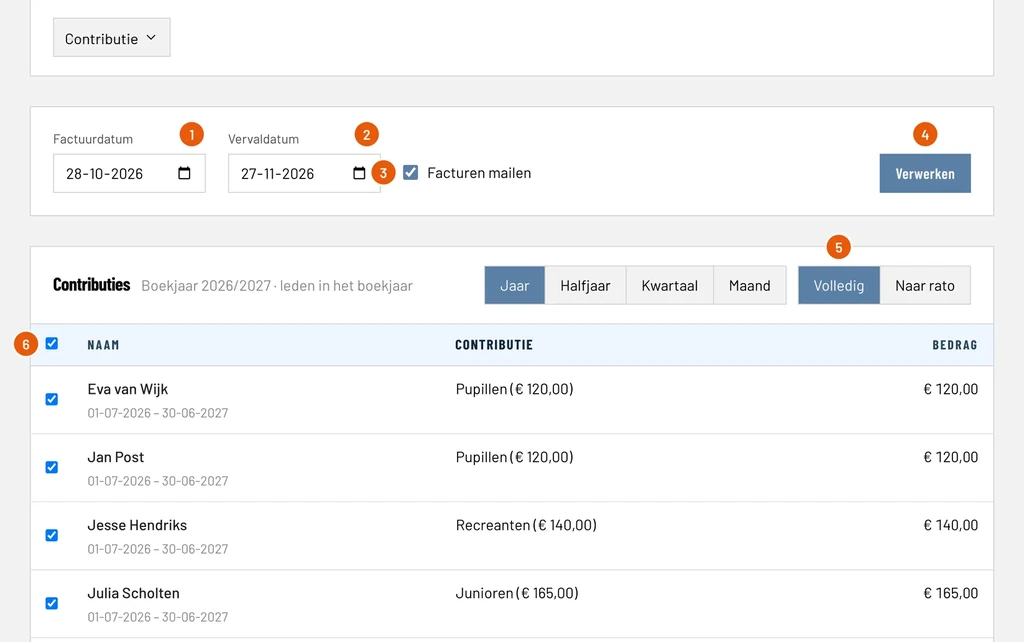
Invoice date (Factuurdatum): the day the invoices are dated, today by default, here 28-10-2026.
Due date (Vervaldatum): pay by this day at the latest. ClubBalans adds the payment term from the settings to the invoice date, here 30 days: 27-11-2026.
Email invoices (Facturen mailen): ticked, every member gets the invoice as a PDF by email. Untick it if you prefer to deliver the invoices yourself.
Process (Verwerken): creates the invoices of the members that are ticked. This is the button of step 2.
Full (Volledig) or Pro rata (Naar rato): with full every member pays the whole annual fee. With pro rata a member only pays for the days of membership, useful for members who started halfway through the year.
Select all: all members are ticked by default. Untick a member you do not want to invoice now, for example someone who is about to cancel.
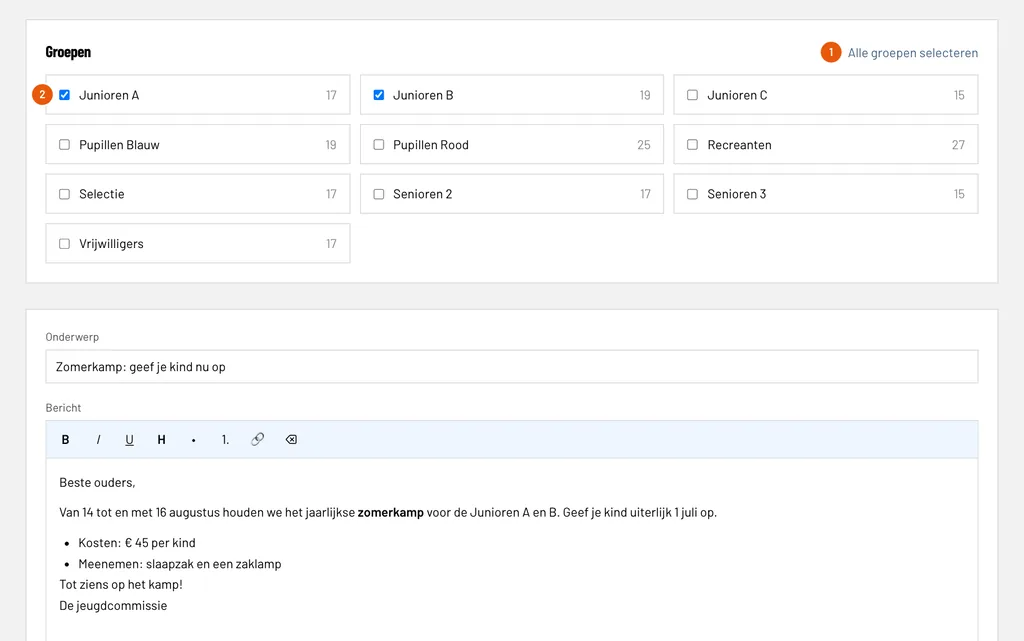
Above the list you also choose the period: Year, Half year, Quarter or Month. With the Membership fee (Contributie) button you filter on, for example, the Seniors only, so each group can get its own invoice date.
Step 2: process the invoices
Click Process and confirm. At the bottom of the screen you see the total: in our example seven invoices adding up to € 1,065.00. The invoices are created, stored and emailed in the background, and a progress bar fills up on the page. You do not have to wait for a run with hundreds of members either: you can carry on working.
Every invoice gets its own invoice number and is booked in the bookkeeping straight away: the amount is a receivable from the debtors and revenue on the membership fee category. You do not have to do anything for that.
Step 3: check the invoices
Go to Invoices (Facturen) and choose Invoices under Send (Verzenden). The new invoices are at the top of the list, newest first.
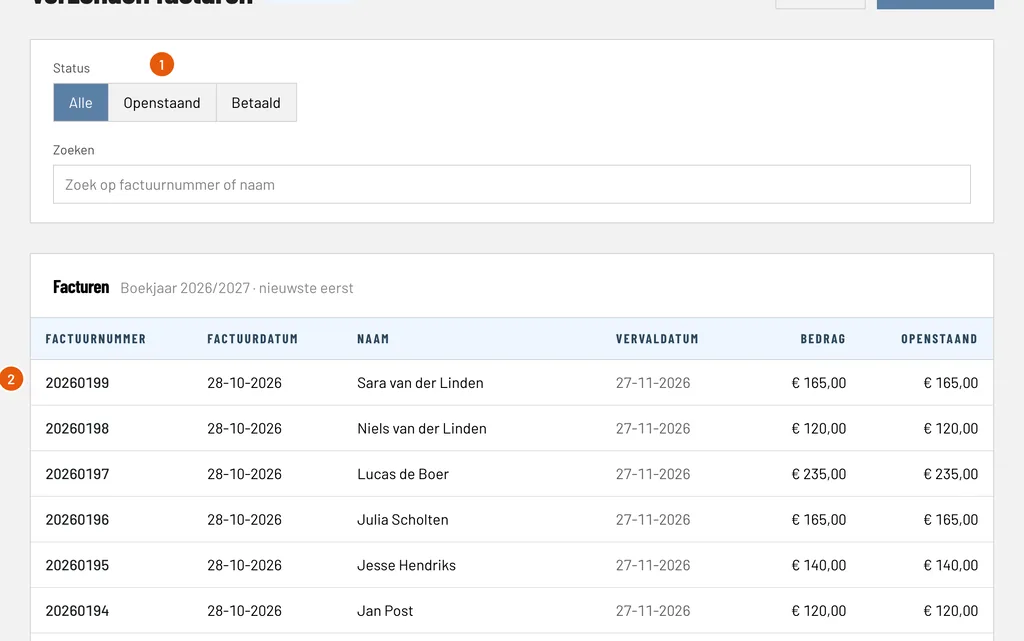
Status: Outstanding (Openstaand) only shows the invoices that have not been paid yet, Paid (Betaald) only the paid ones. That keeps a long list manageable.
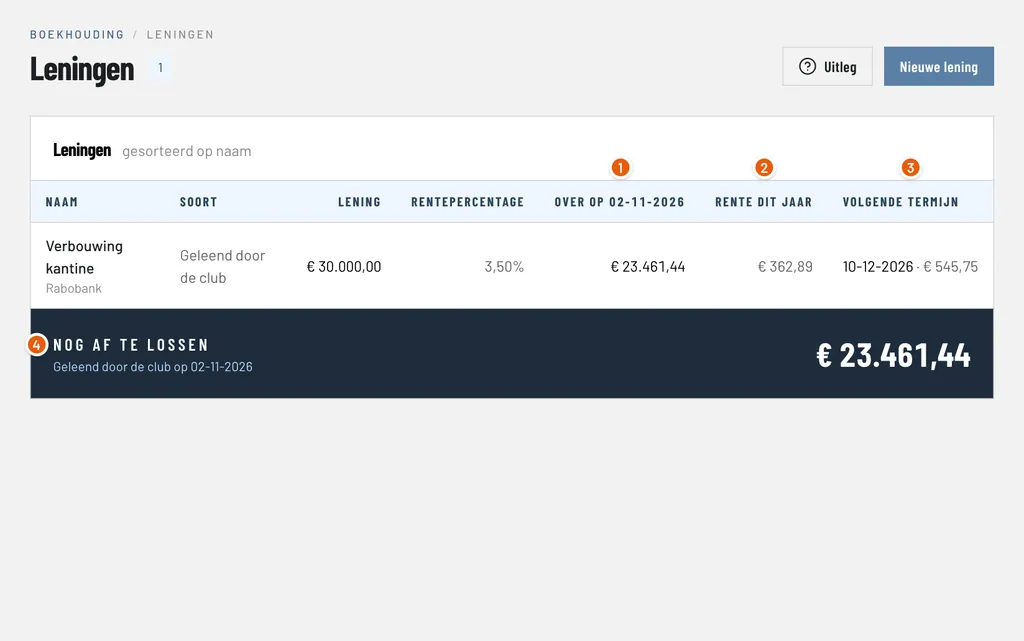
Invoice: every line is an invoice with its number, invoice date, name, due date, amount and what is still outstanding, here invoice 20260199 for Sara van der Linden. Click a line to open the invoice and view the PDF.
As soon as a member pays and you link the payment, the outstanding amount drops to zero and the list shows Paid. How that works is explained in the guide on processing bank statements.
Step 4: send reminders to late payers
Not everyone pays on time. Under Invoices and Reminders (Herinneringen, under Send) you find all invoices past their due date, including those of earlier financial years, with the oldest at the top.
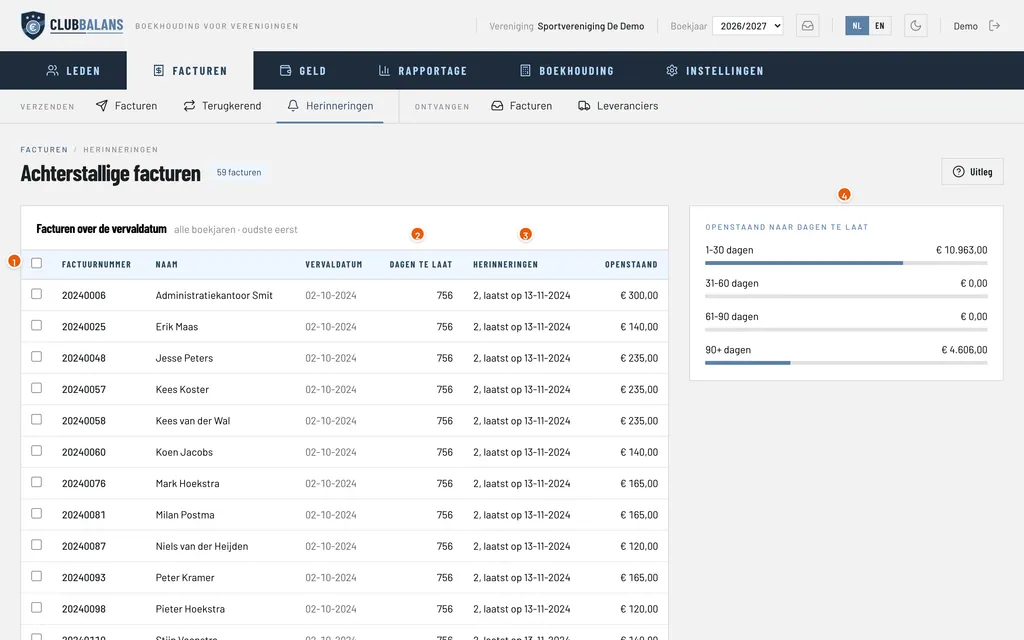
Select: tick the invoices you want to send a reminder for, or choose the top line to select them all at once.
Days overdue (Dagen te laat): how long the due date has passed, here 756 days.
Reminders (Herinneringen): how many reminders have been sent and when the last one went out, here two, the last on 13-11-2024. That way you do not send too many by accident.
Outstanding by age: the outstanding amount divided by how long it is overdue: 1 to 30 days, 31 to 60, 61 to 90 and more than 90 days.
Below the list is the Send reminder (Herinnering versturen) button. ClubBalans then emails a reminder with the invoice as a PDF for every invoice you ticked and keeps count of the reminders. Members without an email address are skipped and reported.
Good to know
- A new member who starts later in the year appears in the list again at the next collection. Anyone who already has an invoice is no longer in it.
- If a member switches membership fee, the member gets a supplement on one invoice: they pay the difference.
- If a member has credit, for example from the canteen, the fee can be paid with it when the club allows that.
- Who may collect membership fees is decided per role. Read more about roles and permissions.
- You find more about the possibilities under collecting membership fees.