
Step by step through ClubBalans
Every guide takes you through one task, with a screenshot of every step and example data you can follow along with.

Creating members
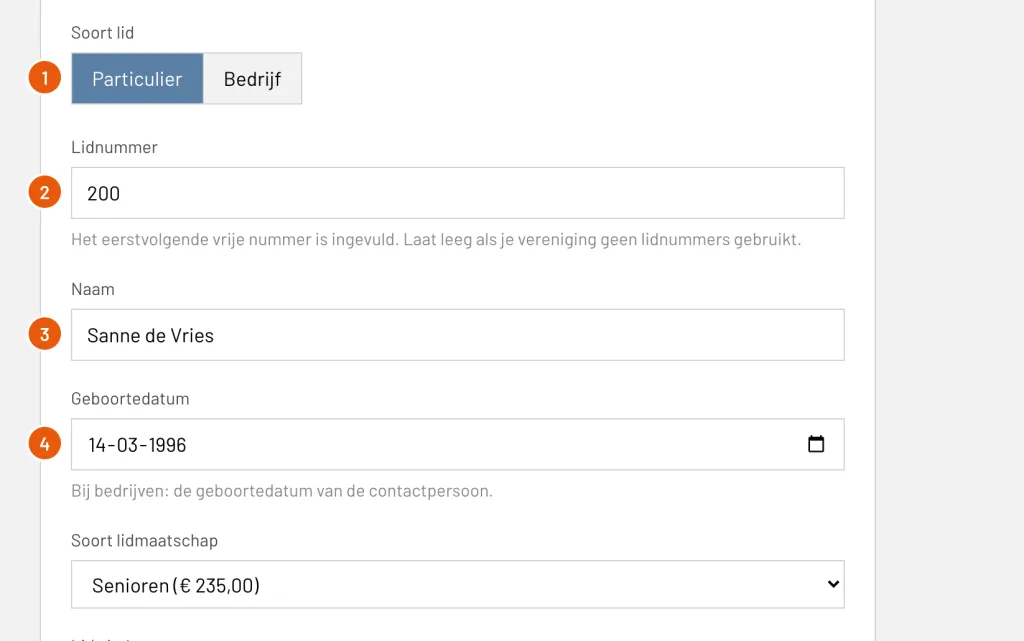
Add a private or company member with their membership, contact details and groups, and check the result. With example data and a screenshot of every step.
Read the guideImporting members
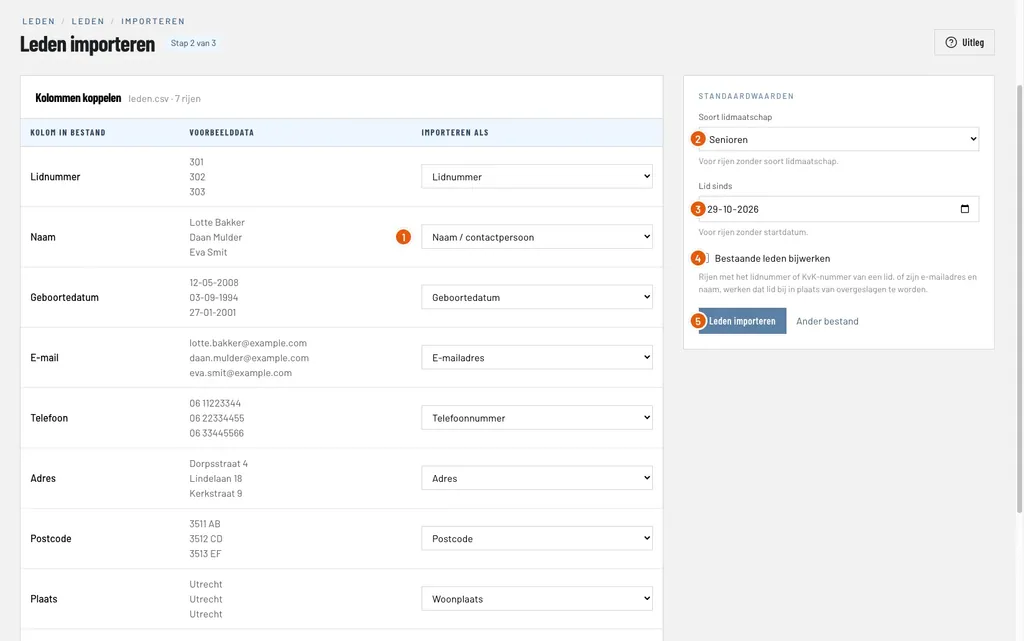
Import the members of your club from an Excel or CSV file, link the columns to the member fields, and check what was added and what was skipped. With example data and a screenshot of every step.
Read the guideSetting up the member area
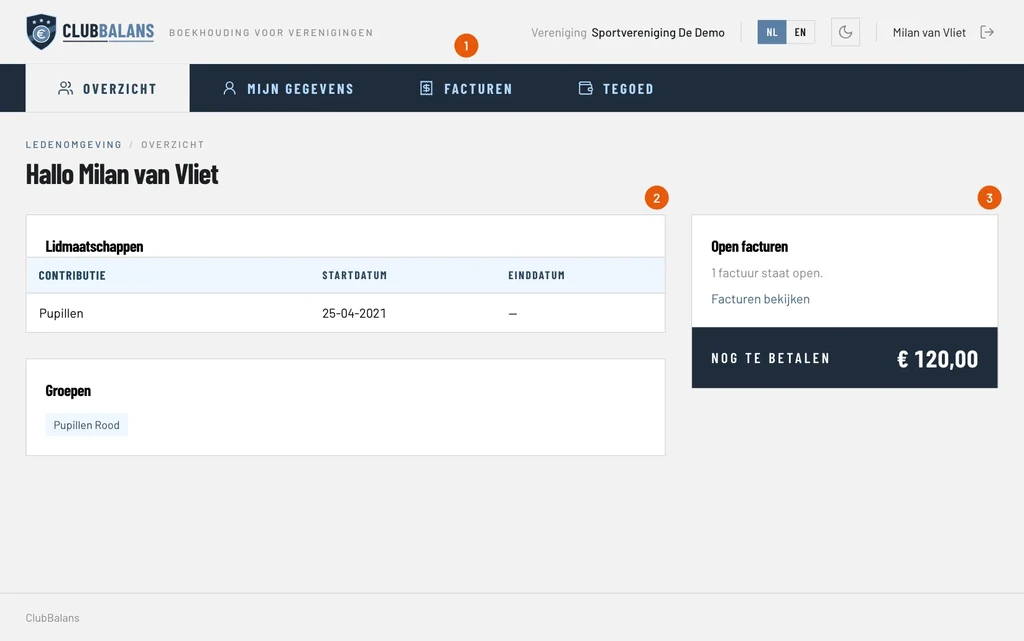
Switch on the member area, let a member log in with a link in their email and see what members can look up and change themselves. With example data and a screenshot of every step.
Read the guideProcessing card payments manually
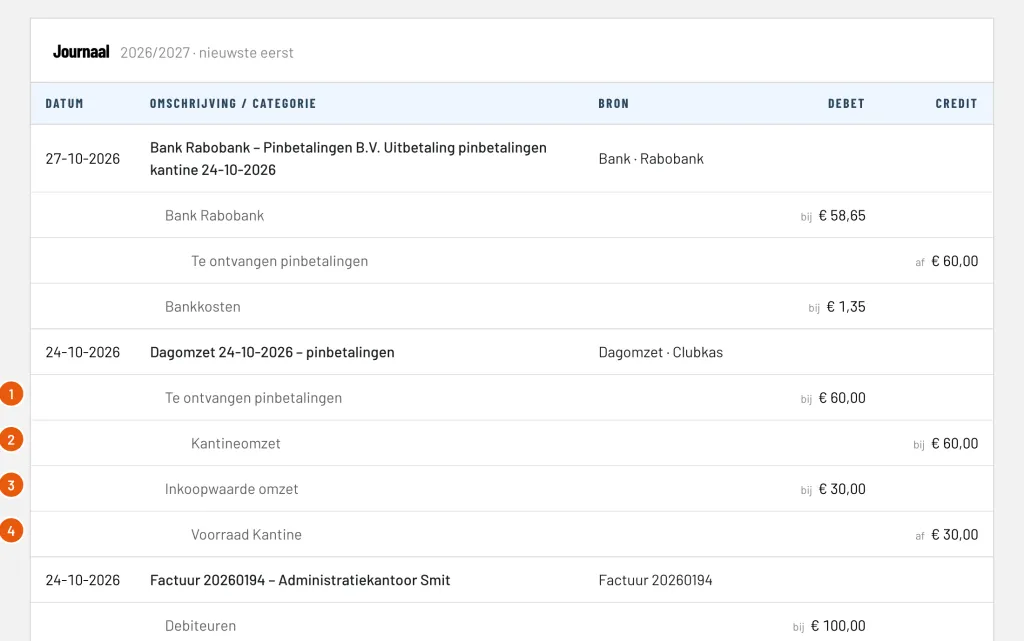
Enter the card payments of the canteen as day sales, process the payout of the payment provider with its costs and check the result. With example data and a screenshot of every step.
Read the guideCollecting membership fees
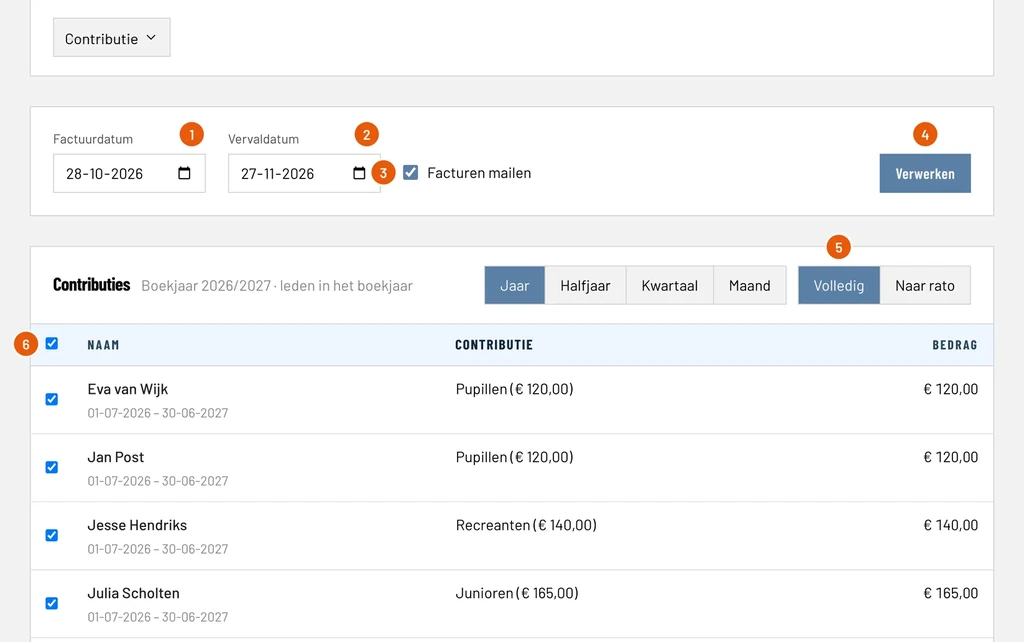
Create the membership fee invoices of all members in one run, email them and send reminders for the invoices that stay unpaid. With example data and a screenshot of every step.
Read the guideProcessing bank statements
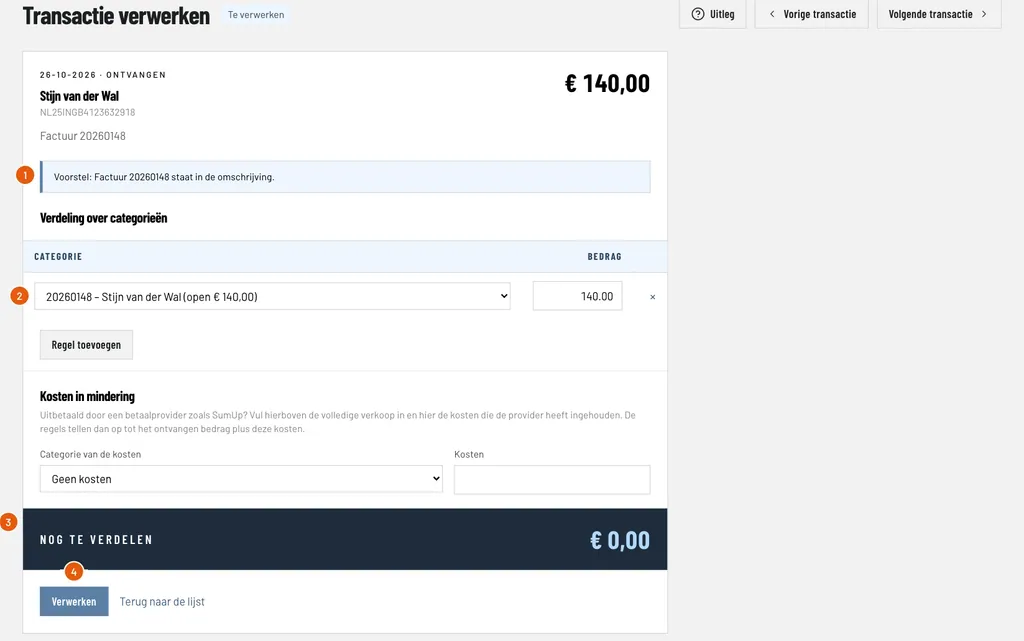
Import a bank statement, let ClubBalans suggest how every payment is booked and process payments of members and suppliers. With example data and a screenshot of every step.
Read the guideBooking incoming invoices
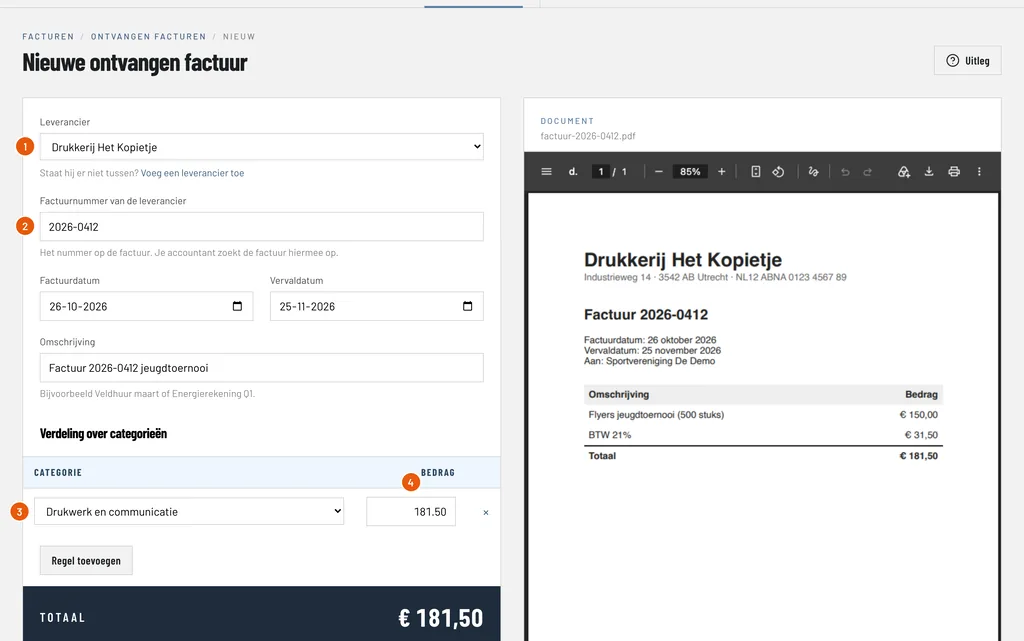
Receive supplier invoices in the invoice inbox, book them with the invoice next to the form and pay them. With example data and a screenshot of every step.
Read the guideBooking day sales
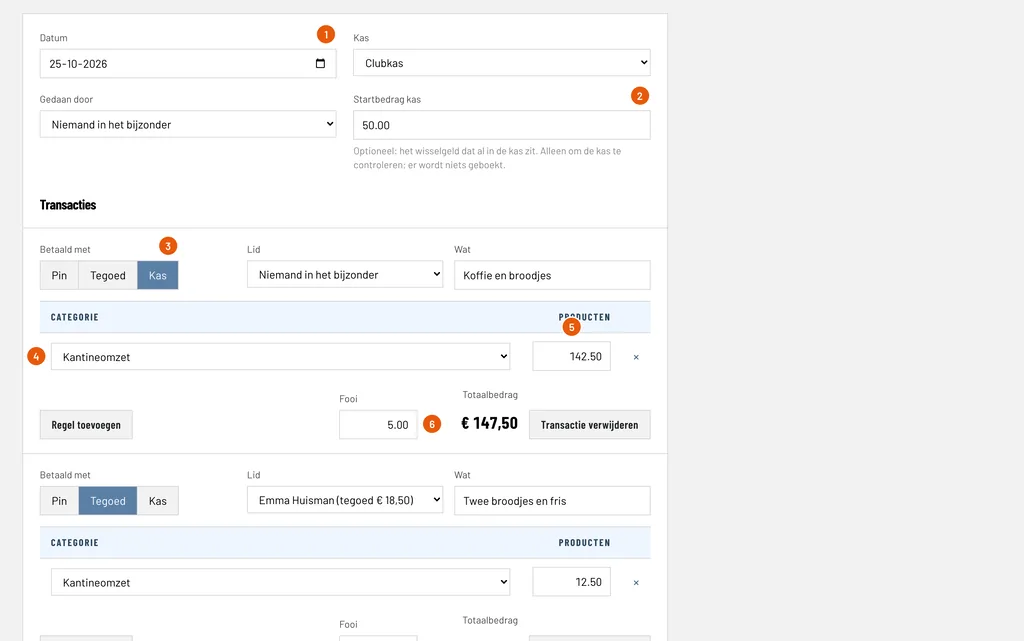
Enter the sales of a day in one go, paid in cash, from credit or by card, with tips and a cash count. With example data and a screenshot of every step.
Read the guideCredit of members
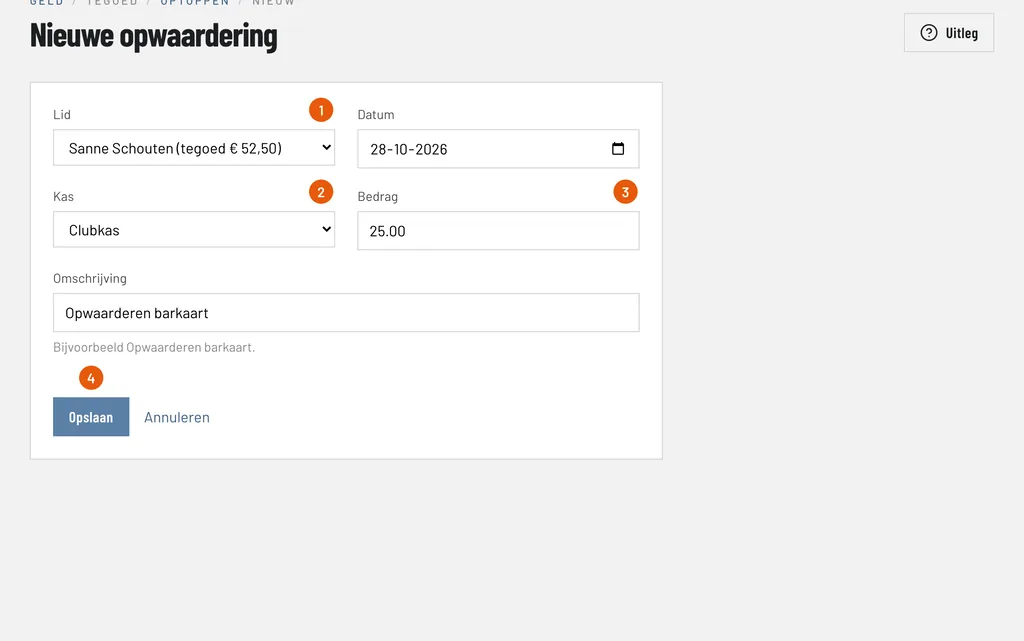
Set up credit, top it up with cash, spend it at the bar and see what every member has left. With example data and a screenshot of every step.
Read the guideKeeping track of stock
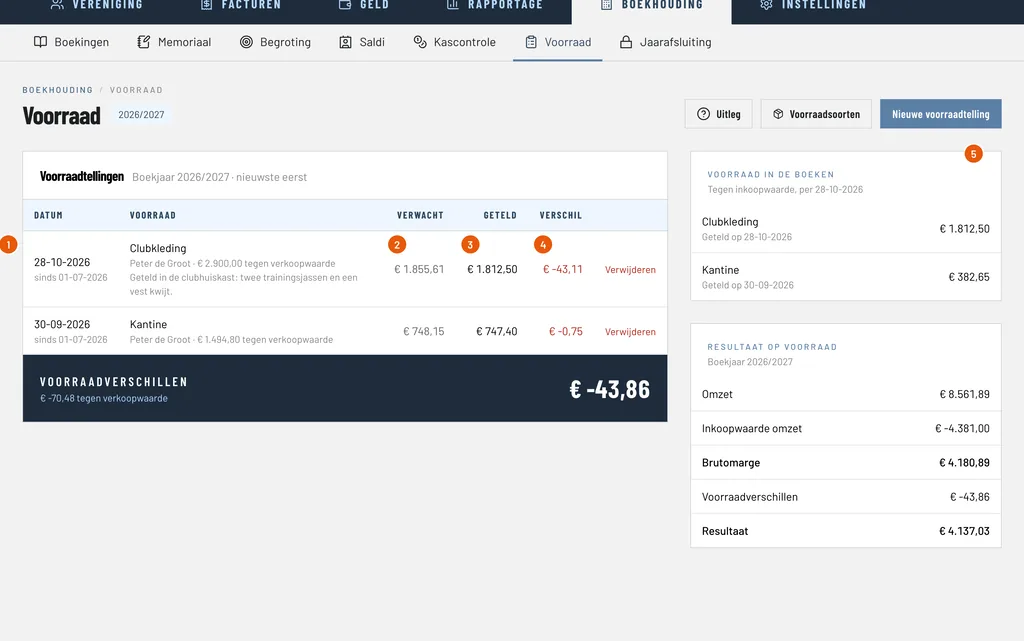
Set up a kind of stock with its purchase and sales price, see how the margin is calculated, how every sale lowers the stock and how a count shows what went missing. With example data and a screenshot of every step.
Read the guideClosing the financial year
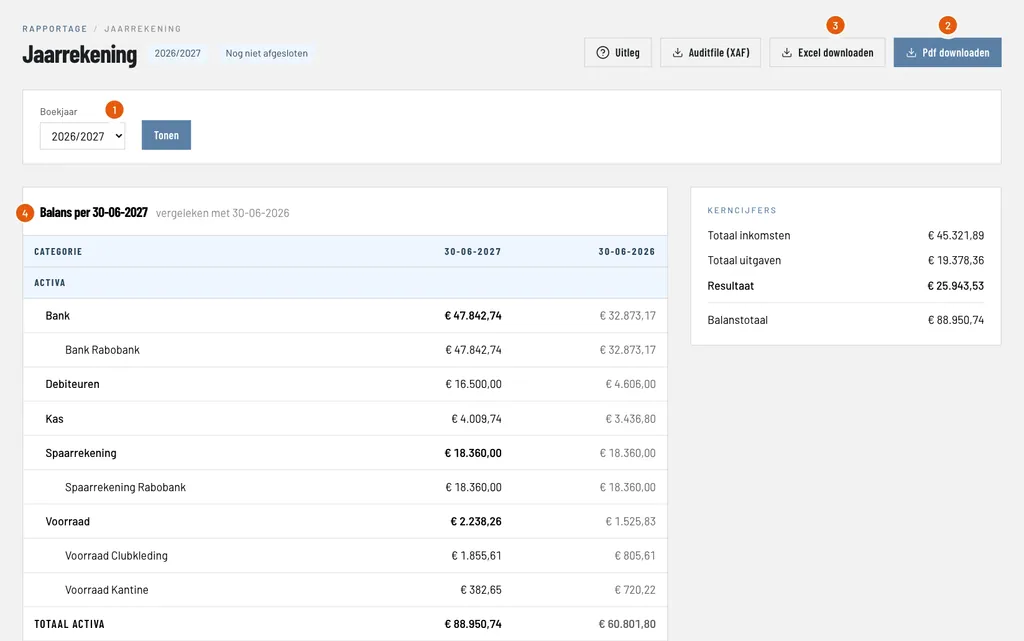
Check the annual accounts, download the PDF and the Auditfile, close the financial year and start the next one. With example data and a screenshot of every step.
Read the guideScanning invoices
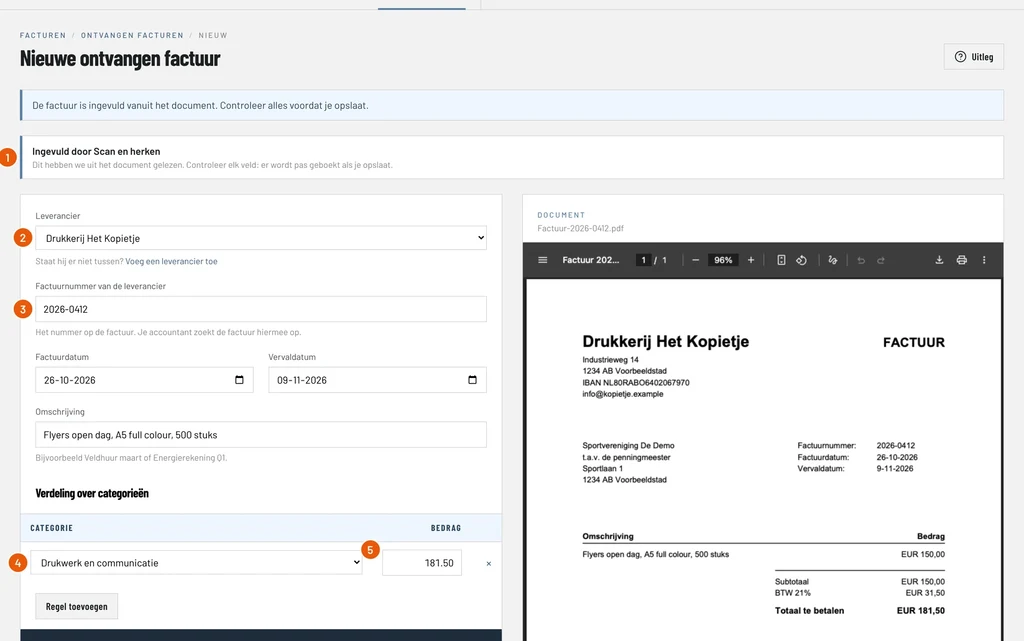
Switch on Scan and recognize, let AI read an invoice from the inbox, check the suggestion and book it. With example data and a screenshot of every step.
Read the guideScanning card payout reports
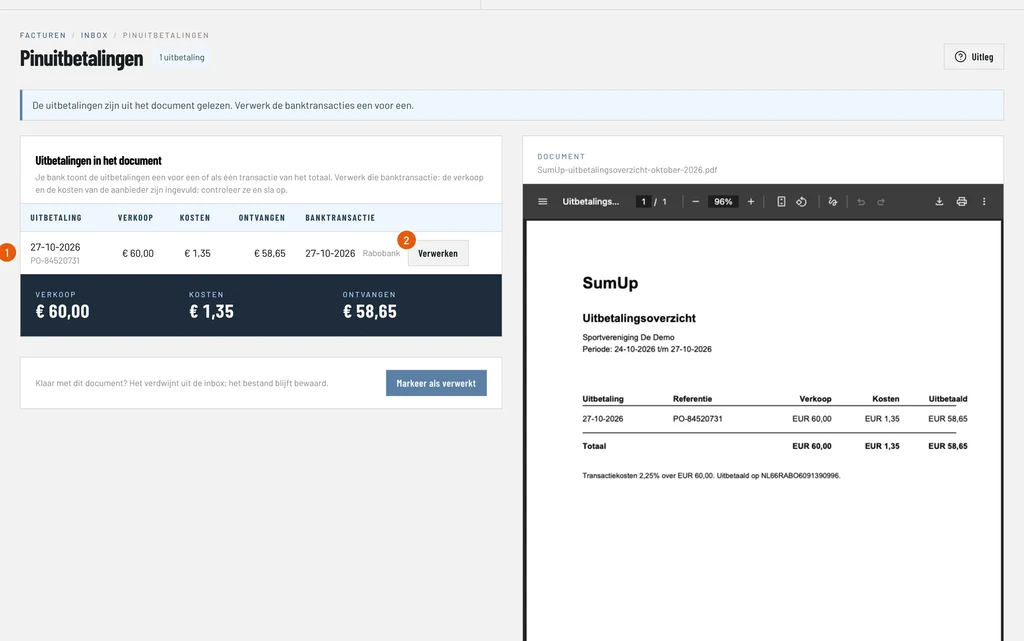
Let AI read the payout report of your card payment provider, find the bank transaction of every payout and process it with the sales and the costs filled in. With example data and a screenshot of every step.
Read the guideEmailing your members
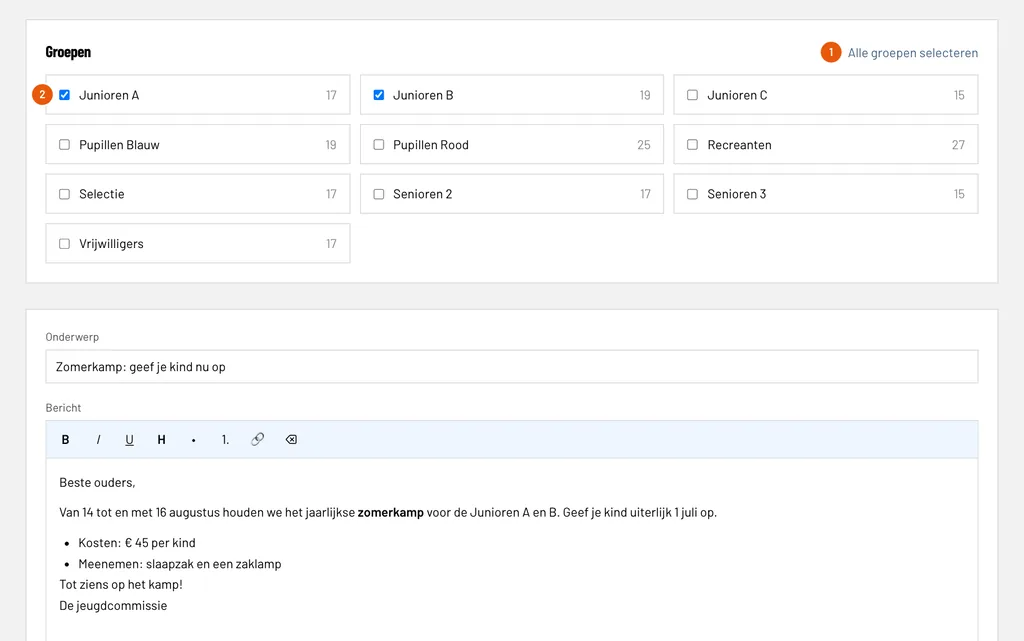
Choose the groups, write the email, send it after a check and follow the delivery per email address. With example data and a screenshot of every step.
Read the guideRegistering loans
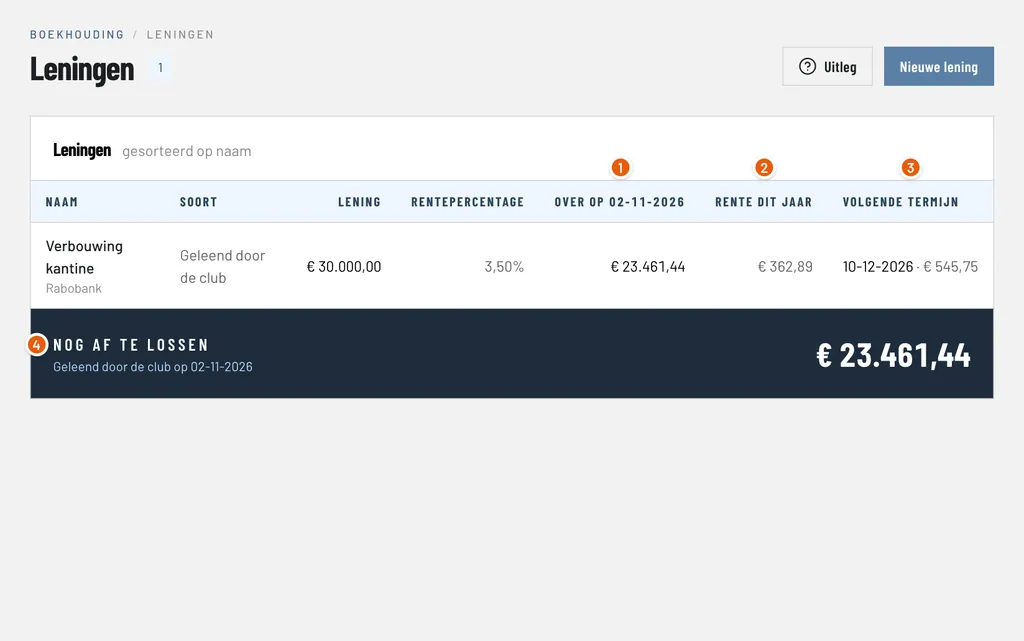
Add a loan with its schedule, process the installments from the bank statement with the repayment and the interest split for you, and see what is left to repay. With example data and a screenshot of every step.
Read the guideSetting up notifications
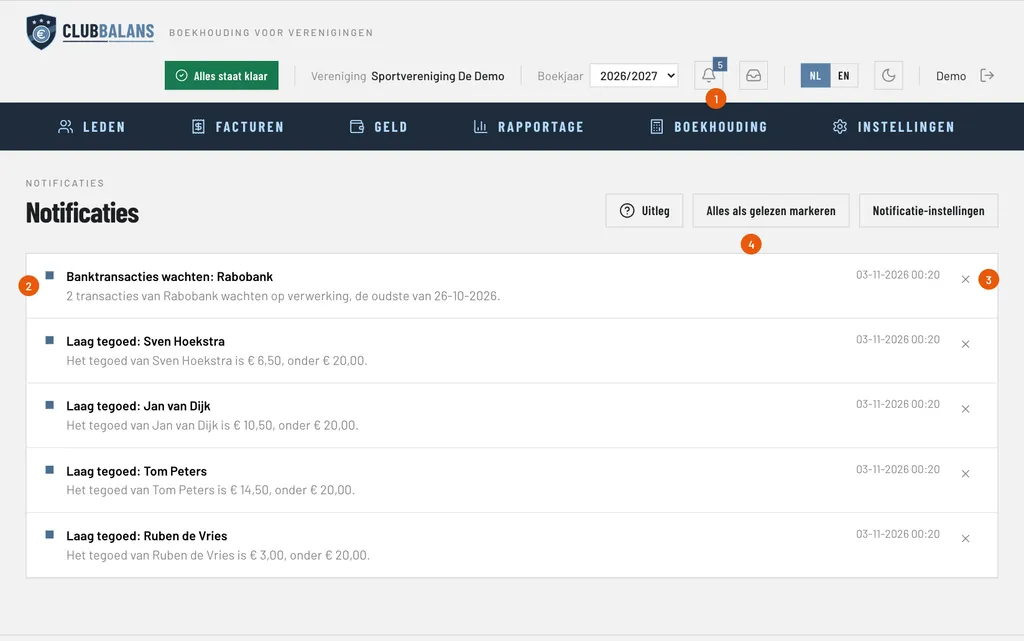
Create a rule that notifies a role or user, test it, read your notifications at the bell and choose whether you get them in ClubBalans, by email or both. With example data and a screenshot of every step.
Read the guideWhere do you start?
New to ClubBalans? Start with your members: add them one by one or import them from an Excel or CSV file. After that you collect the membership fees, process the bank statements and book the invoices you receive. Follow the guides in the order that suits your club; each one can be read on its own.
Members and membership fees
Add or import your members, collect the membership fees, email your members and give them their own login in the member area.
Bookkeeping
Process the bank statements, book incoming invoices or let AI read them for you, register loans and close the financial year for the audit committee.
Canteen
Book the day sales and the card payments, keep track of the stock and manage the credit of your members.
Missing a guide?
Tell us which task you would like explained. We add it to the guides.
Bring the books of your club in balance
No payment details needed. Your club is ready in a minute.